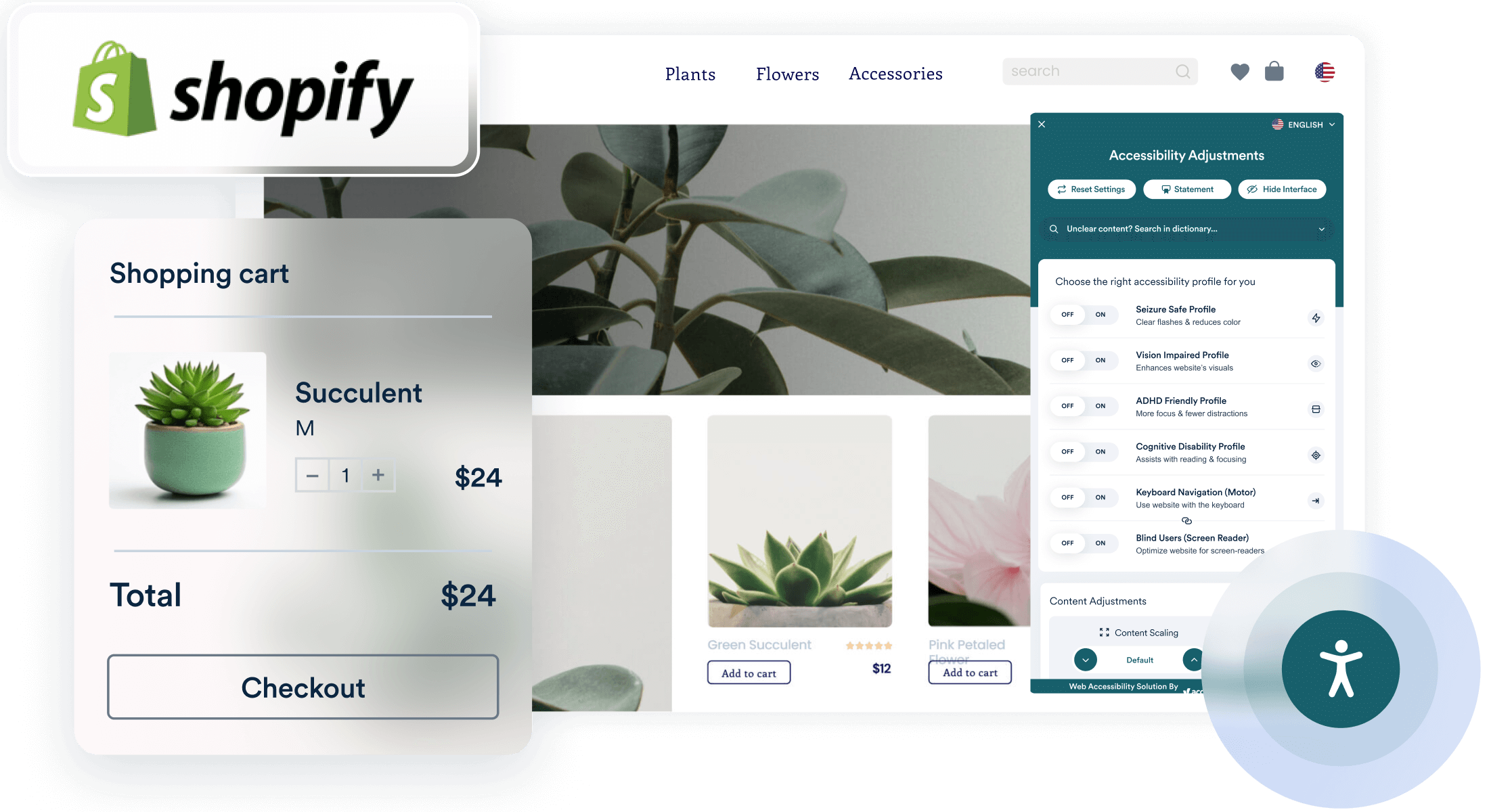
Discover how to design an accessible Shopify store that meets legal requirements and inclusivity standards. Learn key principles such as text alternatives, keyboard navigability, and color contrast to enhance user experience and ensure compliance. Regular testing and maintenance will help you create an equitable shopping environment for all customers.
The Significance of Shopify Store Accessibility: Prioritizing Inclusivity and Adherence
In todays world the significance of building online stores that are accessible is paramount. For those running Shopify shops ensuring their platforms are welcoming and meet standards is both a legal requirement and a smart business move. Accessibility in the realm of commerce means making your store user friendly for individuals with disabilities. This entails crafting and developing your store to eliminate obstacles and offer a fair experience to all users.
Understanding Accessibility in E-Commerce
Accessibility involves creating products, services or environments that cater to individuals with disabilities. When it comes to a Shopify store it entails making sure that all customers, no matter their abilities can easily browse, engage with and buy from your online shop. The aim is to provide an online experience that welcomes users with visual, hearing, physical and intellectual challenges.
Legal Requirements for Accessibility
There are various laws and regulations that oversee accessibility, in the digital realm. For example in the United States the Americans with Disabilities Act (ADA) mandates that businesses ensure equal access to their services including those provided online. Likewise the Web Content Accessibility Guidelines (WCAG) created by the World Wide Web Consortium (W3C) set forth standards aimed at enhancing web content accessibility for individuals with disabilities.
In numerous countries adherence to these standards is not simply a recommended practice but also a legal obligation. Non compliance can lead to actions, fines and harm to a companys reputation. Consequently grasping and implementing these accessibility standards is essential for Shopify store proprietors.
Core Principles of Designing Shopify Stores.
1. Text Alternatives for Non-Text Content
Images, videos and other non text elements should include text alternatives commonly known as alt text that explain their function or content. Alt text is valuable for screen readers in providing information to users with visual impairments. For example if you feature an image of a product in your online store make sure to add descriptive alt text. This way users who are unable to see the image can grasp its meaning.
2. Keyboard Navigability
Some users may not have the ability to use a mouse or touchpad. Hence, its crucial to design your Shopify store in a way that allows for navigation solely using a keyboard. This involves making sure that all interactive components like buttons, links and forms can be accessed through keyboard shortcuts and tabbing. Users should be capable of completing purchases, retrieving information and browsing your store without needing a mouse.
3. Clear and Consistent Layout
An organized and layout makes it easier for everyone, including individuals with disabilities, to explore your store. Utilize headings, subheadings and clear labels to structure information in a way. Make sure navigation menus are easily accessible and user friendly while steering clear of designs that could cause confusion.
4. Adequate Color Contrast
Contrast plays a role, in catering to users with disabilities like color blindness. It's important to ensure there's a contrast between text and background colors to make content easily readable. Various tools and software exist to assess color contrast ratios and ensure compliance with standards.
5. Text and Font Considerations
The text needs to be clear and adjustable in size. Opt for fonts that are simple to read and make sure the text can be resized without compromising its content or functionality. Steer clear of using sizes or fonts that are hard to read. Users should have the flexibility to modify text sizes based on their preferences without impacting the overall design of your store.
6. Accessible Forms
Forms play a role, in any online shopping platform be it for setting up accounts, making purchases or signing up for newsletters. Its important to ensure that the form fields are labeled that error messages are straightforward and easy to comprehend. Moreover offering users feedback and instructions during form submissions can help those who may struggle with filling out forms.
7. Captions and Transcripts for Multimedia
To make sure that users who are deaf or hard of hearing can enjoy content like videos it's important to include captions and transcripts. Captions should accurately reflect the audio while transcripts should be available for both audio and video components. This way all users can access the information presented in formats.
When it comes to adding features on Shopify there are tools and apps available to improve your stores accessibility. These tools can help you add text to images, assess color contrast and enhance navigation, using a keyboard. While many Shopify themes are designed with accessibility in mind it's crucial to review and customize them to meet standards.
Regular Testing and Maintenance
Making your Shopify store accessible isn't a task; it's a commitment. Continuously check for issues to ensure everyone can use your site. Connect with users disabilities to get insights and make needed adjustments. Stay informed about updates in standards and guidelines to maintain compliance and inclusivity.
Conclusion
Creating a Shopify store that caters to users is essential for making your online business inclusive and meeting legal standards. By integrating accessibility features like text alternatives, keyboard navigation, layouts, color contrast and user friendly forms you can provide a shopping experience for everyone. These measures not help you comply with laws but also improve user satisfaction by making your store inviting to a wider audience. Regular checks and updates are crucial to upholding accessibility standards and ensuring your store effectively accommodates all visitors.